Google Sheets to Rewiser: Import Your Financial Data with Confidence
Move financial data from Google Sheets into Rewiser. Use the iOS plugin for imports or connect Sheets via Zapier for automation.
Read more →Track expenses, manage budgets, and plan finances with our financial management platform. Perfect for personal finance and business finance needs.
Add transactions instantly. Build your own list of incomes and expenses. Tag them, mark them as paid, plan ahead. It’s fast, simple, and free of clutter. Just how it should be.
Dynamic summary, built for clarity. See your finances clearly. No clutter. No complexity. With Rewiser’s modular system, you choose what matters. Simple visuals. Smart insights. Just the way it should be.
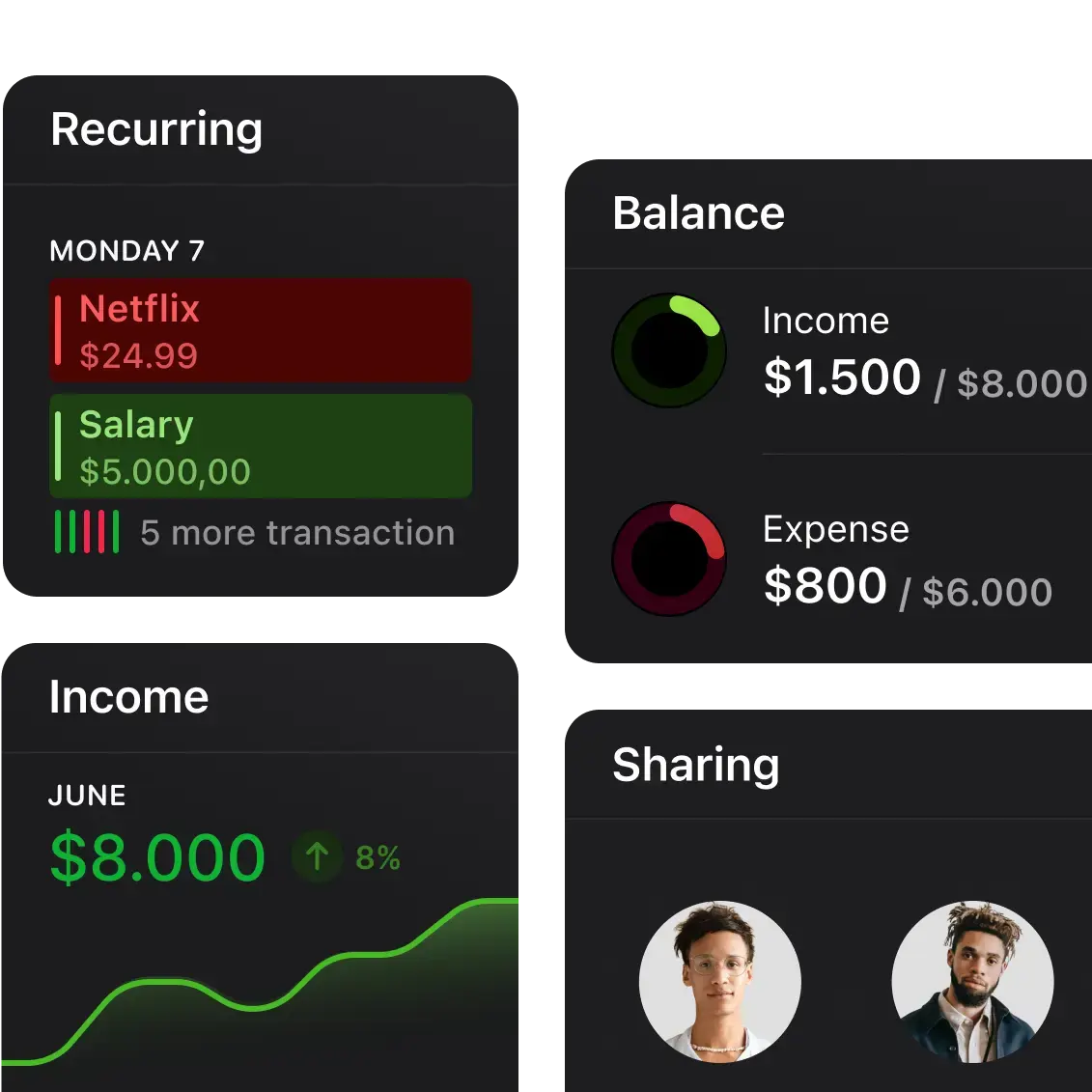
Create folders to separate your budgets. Get tailored reports for each one. And most importantly, share them with anyone you like. Ideal for personal finance and business finance management.
Not another chatbot. Rewiser AI handles the action.
Rewiser AI appears where it makes sense. It adapts to your habits and actions. Learn more about our AI-powered expense tracking and financial planning tools.
 Just say it. Rewiser does the rest
Sync your sales, unlock AI insights, and personalize every detail of your financial flow.

Connect your sales. Stay updated, always.

Let AI handle your categories in an instant.

Make space for what matters to you.

Keep it private. Secure with Face ID.

Choose your currency per folder. Simple.

Sync your Lemon Squeezy sales.

Connect Google Sheets with AI.

From document to data in an instant.

Sync your Gumroad flow with Rewiser.

Draw your own line. Know when to stop.

Speak to Rewiser from your workspace.

Track ad expenses, effortlessly.

Got an idea? We’d love to hear it.
Rewiser API enables seamless automation with 8,000+ apps through Zapier. Read transactions, create entries, and build financial workflows without code.
Rewiser API powers seamless transaction reading and writing. Connect with Google Sheets, Notion, Facebook Ads, and 8,000+ apps through Zapier. Explore our integration plugins and automation guides.


Auto-sync transactions to your spreadsheets

Auto-sync transactions from your Notion pages

Get transaction alerts and budget updates

Auto-sync payments and fees from PayPal

Auto-sync store sales and payouts from Shopify

Build custom workflows with Airtable data
Everyone’s finances are different. Rewiser gets that, and adapts with a smart, simple experience.
Enjoy the best experience on iPhone, iPad, Web, and Apple Watch. Powered by the latest native technologies.



Move financial data from Google Sheets into Rewiser. Use the iOS plugin for imports or connect Sheets via Zapier for automation.
Read more →
Track and manage expenses directly in Slack with Rewiser. Add transactions, list folders, and stay financially aware without leaving your workspace.
Read more →
Most people don’t quit budgeting. They quit the apps. Learn why budgeting apps still fail in 2026 and what actually works today.
Read more →